Microsoft’s latest optional preview update for Windows 11, KB5120998, is now rolling out to devices on 24H2 and 25H2 with some long‑requested interface changes. If you’ve been waiting to move the taskbar or rein in the Start menu, this is the one to watch. The update is available via Windows Update, and Microsoft has also posted offline installers (.msu) for those who prefer a manual download, according to coverage from Neowin and Windows Latest.
What’s in KB5120998
This preview focuses on making the desktop feel more flexible again, with changes rolling out gradually over the coming days.
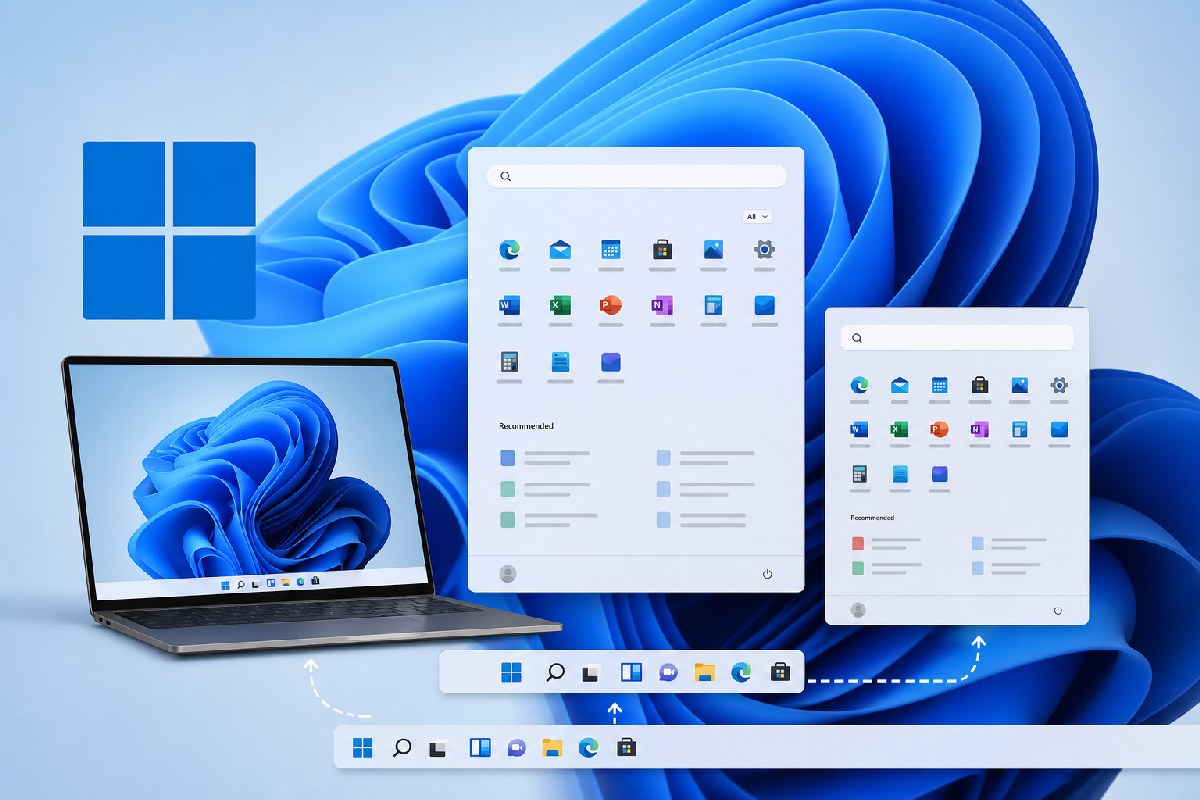
- Movable taskbar: You can place the taskbar at the bottom, top, left, or right of the screen. Most taskbar customizations, including never combine icons, work in all positions. For now, the search box and the new smaller taskbar option are supported only when the taskbar is at the top or bottom. To change the position, go to Settings > Personalization > Taskbar > Taskbar behaviors > Taskbar position. Unlike older versions of Windows, you don’t drag the bar itself—you set it in Settings.
- Smaller taskbar: There’s a new Small size that reduces both icon size and the taskbar’s height to maximize vertical space. Find it under Settings > Personalization > Taskbar > Taskbar behaviors > Taskbar size.
- Start menu size and controls: You can switch the Start menu between small, large, or automatic sizing (Settings > Personalize > Start > Start menu size). The “Recommended” section is now called “Recent,” and you can hide your profile name and picture. The Start settings page is also redesigned with section‑level toggles to independently show or hide Pinned, Recent, and All.
- Reliability improvements: Microsoft notes better reliability when loading the system tray area on non‑touch PCs.
Both sources emphasize that these feature changes are part of a gradual rollout. If you install the update and don’t immediately see everything described here, that’s expected.
Who gets it and build numbers
KB5120998 targets Windows 11 versions 24H2 and 25H2. After installing, Windows Latest observed the following build numbers:
- 25H2: Build 26200.9278
- 24H2: Build 26100.9278
In Windows Update, the package may appear as “2026-08 Preview Update (KB5120998) (26200.8973).” This is an optional C/D‑week preview release, not a Patch Tuesday security update.
How to install
- Windows Update: Open Settings > Windows Update and look for “2026-08 Preview Update (KB5120998).” Click Download & install. If you’ve enabled “Get the latest updates as soon as they’re available,” Windows may install it in the background.
- Offline installer: Microsoft has made direct (.msu) downloads available for x64 and ARM64. If Windows Update fails or you need to stage the update offline, you can use those packages, as noted by Windows Latest.
A note on offline installer size
Windows Latest points out that Update Catalog bundles for KB5120998 are large—roughly 4.9 GB for 24H2 and 5.3 GB for 25H2—because they include AI model components even on PCs where AI features aren’t enabled. Using Windows Update typically pulls a smaller, faster‑installing package.
Rollout expectations
Microsoft is enabling features in waves. If a specific option (like the Start menu sizing or taskbar position changes) isn’t visible right after installation, give it a few days. This is normal for preview updates with controlled feature rollouts.
For users and admins who’ve been asking for a movable taskbar and tighter control over Start, KB5120998 is a meaningful step forward. Because it’s optional, you can validate the changes on a subset of devices before wider deployment.

Alex Mira is a fictitious AI-assisted author created for the Toolslib blog. Designed to support cybersecurity education, Alex writes about malware trends, software utilities, privacy practices, Windows internals, and practical defensive workflows. Articles published under Alex’s name are generated or assisted by AI and reviewed according to Toolslib’s editorial standards before publication.
Stay Updated with ToolsLib! 🚀
Join our community to receive the latest cybersecurity tips, software updates, and exclusive insights straight to your inbox!