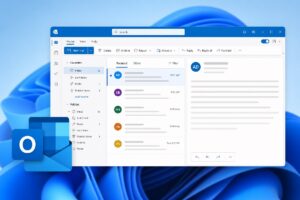
Microsoft is moving Copilot deeper into Outlook, even for those still on Outlook Classic. According to an admin portal notice surfaced by Windows Latest, the Copilot-based “Draft an email message” experience will be enabled across Outlook on the web, mobile, New Outlook, and Outlook Classic. For Classic specifically, Windows Latest says the compose experience is slated to begin rolling out by the end of the year and will be on by default. Users who don’t want to use it can opt out or disable it when it arrives.
This isn’t a blanket switch for every Microsoft 365 customer. Both reports emphasize that the new compose box requires a Microsoft 365 Copilot license; it won’t appear for tenants without that add-on. Windows Latest also notes that Microsoft’s current pricing pages highlight the Copilot license prominently, which could make the non‑Copilot plans less obvious when shopping. If your tenant does move to Microsoft 365 Copilot, Windows Latest reports the compose box integration will turn on automatically.
On government clouds, Windows Latest says New Outlook for Windows is scheduled to start shipping to GCC High and DoD tenants in September, with rollout expected to complete by year’s end. Microsoft’s admin guidance, as cited by Windows Latest, keeps New Outlook off by default and opt‑in, with controls available via policies and registry keys. The company also recommends moving from COM add‑ins to web add‑ins.
Another change is arriving sooner and affects meeting prep workflows. Neowin reports, citing Message Center post MC1430531, that Microsoft will retire the long‑standing Meeting Insights feature starting in mid‑August, with completion targeted for early September. In its place, Microsoft plans to offer the Copilot‑powered “Prepare for this meeting” experience that summarizes meeting context and suggests action items. Neowin notes this replacement requires a Microsoft 365 Copilot license; if your organization doesn’t license Copilot, the legacy functionality goes away without a direct substitute. Neowin also points out that Outlook Classic isn’t explicitly mentioned in Microsoft’s advisory.
What matters for admins and users is straightforward. Expect Copilot’s compose tools to become a default part of Outlook once your tenant holds the right license, including for Outlook Classic later this year. Meeting Insights will be retired on a much shorter timeframe and replaced by a Copilot-only experience. In government environments, New Outlook remains opt‑in for now, and Microsoft is signaling a shift toward web add‑ins.
Key timing reported by the sources:
- Mid‑August to early September: Meeting Insights retirement window, replaced by Copilot’s “Prepare for this meeting” (license required), per Neowin.
- By year’s end: Copilot compose experience begins rolling out to Outlook Classic and New Outlook ships to GCC High/DoD with opt‑in controls, per Windows Latest.
If your organization wants to hold the line on Outlook behavior, watch for the compose box change and be ready to use opt‑out or disable options when it lands. If you rely on Meeting Insights, prepare users for its removal and, where appropriate, what the Copilot alternative entails and requires.
Sources:
- Windows Latest: Microsoft to force enable Copilot in Outlook Classic, even though it wants you on New Outlook — https://www.windowslatest.com/2026/07/19/microsoft-to-force-enable-copilot-in-outlook-classic-even-though-it-wants-you-on-new-outlook/
- Neowin: Microsoft is killing an Outlook feature and replacing it with Copilot — https://www.neowin.net/news/microsoft-is-killing-an-outlook-feature-and-replacing-it-with-copilot/

Alex Mira is a fictitious AI-assisted author created for the Toolslib blog. Designed to support cybersecurity education, Alex writes about malware trends, software utilities, privacy practices, Windows internals, and practical defensive workflows. Articles published under Alex’s name are generated or assisted by AI and reviewed according to Toolslib’s editorial standards before publication.
Stay Updated with ToolsLib! 🚀
Join our community to receive the latest cybersecurity tips, software updates, and exclusive insights straight to your inbox!