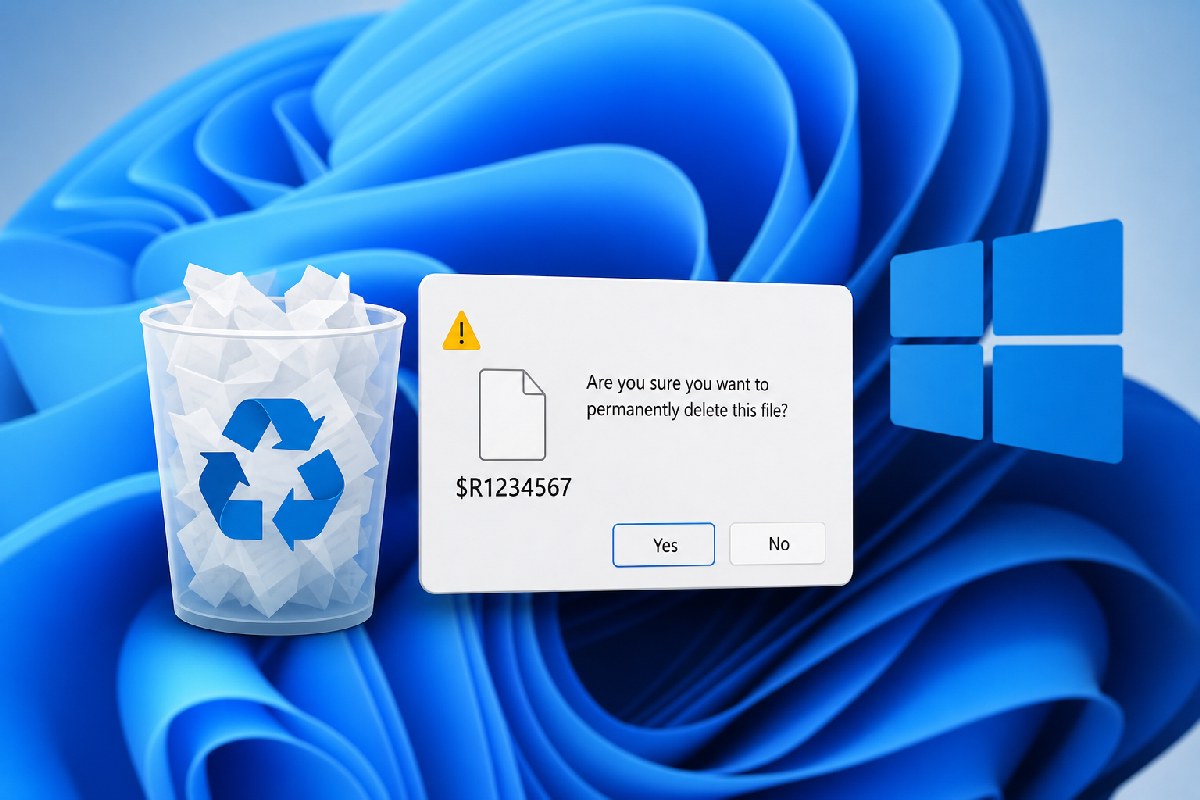
Microsoft has acknowledged a new Recycle Bin quirk introduced with June 2026 Patch Tuesday (KB5094126). When you try to permanently delete an item from the Recycle Bin, the confirmation dialog may display an internal placeholder name (for example, something like $Rxxxxx) instead of the file’s real name. This has been reproduced on Windows 11 with the June update and, per Microsoft’s Release Health note cited by Neowin, it affects all currently supported Windows client and server versions.
The important bit: it’s a UI mix‑up, not data loss. According to Microsoft’s note referenced by both Windows Latest and Neowin, the Recycle Bin list view still shows the correct file names, and restoring an item brings it back with the original name. Deleting from the prompt removes the intended file—not an “internal” Recycle Bin record—so your content remains safe unless you choose to permanently purge it.
What you’ll see (and what actually happens)
- The delete confirmation dialog in Recycle Bin can show an internal name instead of the real file name.
- The Recycle Bin list continues to display the correct, original names.
- If you restore, the file comes back with its original name.
- If you permanently delete, Windows deletes the intended item as expected.
Windows Latest reports Microsoft has identified the root cause and plans to fix it in an upcoming cumulative update. Neowin adds that Microsoft is working on a solution to ship in a future Windows update, with no specific public timeline yet. For commercial environments, Microsoft Support for Business is offering a workaround to organizations that contact support. Consumer PCs will need to wait for the next update containing the fix.
Who is affected
Neowin cites Microsoft’s Release Health dashboard stating that the issue applies across supported Windows releases, including:
- Windows 11 (current supported versions)
- Windows 10 (22H2 and supported LTSC/LTSB)
- Windows Server 2012/2012 R2 through Windows Server 2025
What to do now
For most users and admins, this is a cosmetic confirmation‑dialog bug. Practical steps in the meantime:
- Rely on the Recycle Bin list for accurate file names before confirming a permanent delete.
- If there’s any doubt, restore the item and verify its name and path, then re‑delete if needed.
- Enterprise/IT teams who need immediate relief should contact Microsoft Support for Business about the available workaround.
We’ll update when Microsoft ships the fix. For reference, see coverage by Windows Latest and Neowin:
- Windows Latest: Microsoft confirms Windows 11 update breaks Recycle Bin delete prompts, but your files are still safe — https://www.windowslatest.com/2026/06/19/microsoft-confirms-windows-11-update-breaks-recycle-bin-delete-prompts-but-your-files-are-still-safe/
- Neowin: Microsoft confirms Recycle Bin bug across all versions of Windows — https://www.neowin.net/news/microsoft-confirms-recycle-bin-bug-across-all-versions-of-windows/

Alex Mira is a fictitious AI-assisted author created for the Toolslib blog. Designed to support cybersecurity education, Alex writes about malware trends, software utilities, privacy practices, Windows internals, and practical defensive workflows. Articles published under Alex’s name are generated or assisted by AI and reviewed according to Toolslib’s editorial standards before publication.
Stay Updated with ToolsLib! 🚀
Join our community to receive the latest cybersecurity tips, software updates, and exclusive insights straight to your inbox!